Evaluating Watercolor Floral Wedding Invitations for DIY Editing
Selecting the right stationery sets the tone for a wedding, balancing aesthetic appeal with practical communication. For couples managing their own design and printing logistics, a Watercolor Floral Wedding Invitation template offers a specific middle ground between custom professional design and generic retail options. These digital assets provide editable source files rather than static images, allowing users to customize text, fonts, and layout while retaining high-quality artistic elements. Understanding the technical specifications and practical applications of these templates is essential for determining if they align with your specific planning needs, budget, and technical capabilities.
Defining the Digital Asset
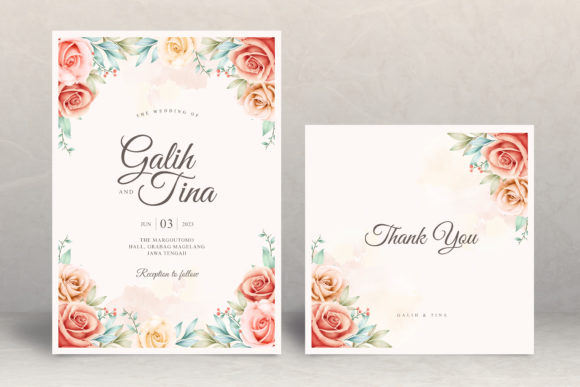
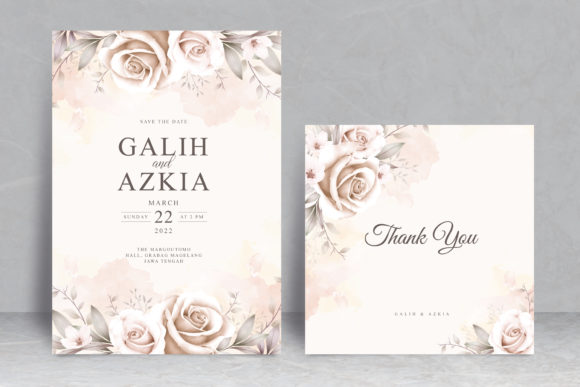
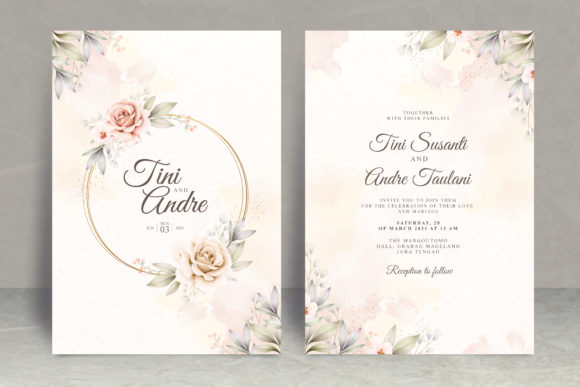
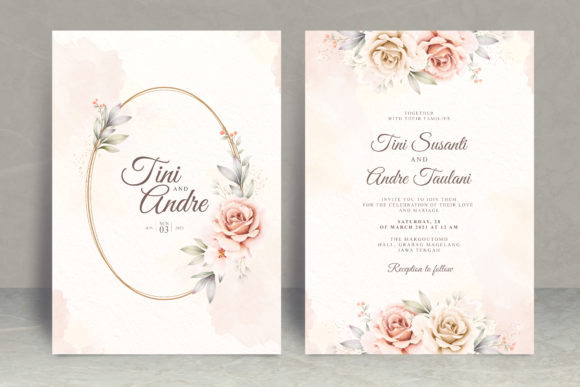
A Watercolor Floral Wedding Invitation in this context refers to a set of working digital files designed for self-editing. Unlike a mock-up or a flattened JPEG image, these templates include layered source files that preserve the integrity of the original artwork while exposing text fields for modification. The standard specification for this type of asset is a 5x7 inch canvas, which corresponds to the most common invitation size in the United States. This dimension ensures compatibility with standard envelopes and printing services without requiring custom trimming.
The core value proposition lies in the inclusion of native working files. Specifically, these packages typically contain a Photoshop CS6 PSD file and a Microsoft Word DOCX file compatible with versions 2007 through 2013. This dual-format approach addresses different user skill levels. The PSD file offers granular control over layers, opacity, and color adjustments for users proficient in Adobe software. Conversely, the MS Word template provides a familiar interface for those who prefer standard word processing tools for text entry and basic formatting. It is critical to note that these are instant download files; no physical product is shipped, and the buyer assumes responsibility for editing and printing.
Reasons for Choosing Editable Templates
Couples and planners typically evaluate watercolor floral templates when seeking a romantic, organic aesthetic without the lead time or cost associated with bespoke stationery designers. Watercolor florals remain a perennial favorite because they convey softness and elegance that translates well across various wedding themes, from garden parties to rustic barn events. The hand-painted nature of the graphics adds texture and depth that vector art often lacks, creating a sense of artisanal quality even when produced via digital template.
Beyond aesthetics, the primary driver is autonomy. Using a working file allows for unlimited revisions without incurring hourly design fees. If venue details change or a typo is discovered after the initial proof, the user can correct it immediately. This flexibility is particularly valuable for engagements with shifting timelines or for couples who wish to coordinate multiple stationery pieces (such as RSVP cards or programs) using the same floral assets over an extended period. The instant availability also supports compressed planning schedules where traditional design consultations would be prohibitive.
Benefits and Practical Advantages
The most significant benefit of this format is cost efficiency relative to output quality. Professional watercolor illustration requires specialized artistic skill, and licensing such artwork for custom stationery can be expensive. By purchasing a template, users amortize the artist's time across many sales, accessing premium visuals at a fraction of custom pricing. Additionally, owning the working file means there are no per-unit royalties or reprint fees. Users can print ten invitations or two hundred without additional licensing costs.
Technical versatility is another advantage. The inclusion of both Photoshop and Word formats mitigates the risk of software incompatibility. While Photoshop offers superior design fidelity, not every user has access to Creative Cloud subscriptions. Providing a legacy-compatible Word document ensures that users with older office suites can still utilize the product. Furthermore, the 5x7 inch sizing is optimized for both home inkjet printers and professional print shops, reducing waste and simplifying paper selection. The separation of artwork and text in layered files also allows users to repurpose the floral elements for other projects, such as table numbers or thank-you notes, maximizing the utility of the purchase.
Tradeoffs and Technical Considerations
Despite the advantages, editable templates introduce tradeoffs that must be weighed carefully. The primary consideration is the requirement of specific software. While the listing mentions Photoshop CS6 and Word 2007-2013, users must verify their own system compatibility before purchasing. Newer versions of Photoshop generally maintain backward compatibility with CS6 PSDs, but newer versions of Microsoft Word may occasionally alter formatting when opening older DOCX files. Users relying on free alternatives like GIMP or LibreOffice may encounter layer parsing issues or font substitution errors that compromise the design.
Font licensing represents another critical variable. The template includes a download link for the specific fonts used in the help file, but users must understand the distinction between personal and commercial use. Most template fonts are licensed for personal projects only. If the invitation is being edited by a third party or used for a business-related event, additional licensing may be required. Additionally, watercolor artwork relies heavily on color accuracy. Screen displays use RGB color space, while printers use CMYK. Without proper color management, the vibrant florals seen on-screen may print duller or with shifted hues. Users should always request a physical proof from their printer before committing to a full run.
Time investment is the hidden cost of DIY editing. What appears simple in a product preview requires actual labor. Aligning text, adjusting kerning, managing layers, and troubleshooting software quirks can consume hours. For individuals unfamiliar with Photoshop’s layer hierarchy or Word’s text box anchoring, the learning curve may negate the financial savings compared to hiring a designer for a single flat fee.
Situational Fit and Alternatives
A Watercolor Floral Wedding Invitation template is a strong fit for tech-comfortable couples with moderate design skills who prioritize budget flexibility and creative control. It suits those who have secured their venue and details early enough to allow time for editing and test printing. It is also ideal for users who already own compatible software and possess a calibrated monitor or access to professional color proofing services. The 5x7 format specifically benefits those planning standard mailings, as odd-sized invitations often require extra postage or custom envelopes.
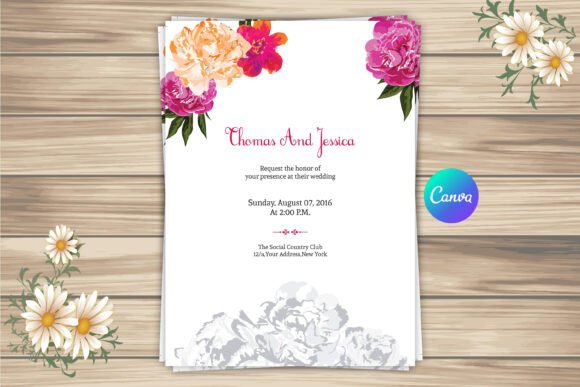
Conversely, alternatives warrant consideration in several scenarios. If you lack access to Photoshop CS6+ or Word 2007+, or if your computer struggles with large layered files, a Canva-based template or fully customizable online platform may offer a smoother experience despite potentially lower resolution. If color accuracy is paramount and you cannot tolerate any deviation from the preview, a pre-printed option or a designer-managed service eliminates the risk of DIY color mismanagement. For weddings with complex information architecture (multiple inserts, maps, accommodation details), the fixed 5x7 canvas of a template may feel restrictive; a custom designer can create modular systems that templates cannot replicate.
Finally, consider your tolerance for technical troubleshooting. If the prospect of managing font installations, layer visibility, and print bleeds induces stress rather than satisfaction, the emotional cost outweighs the monetary savings. In such cases, allocating budget toward professional stationery services preserves mental energy for other planning priorities. Evaluating these factors objectively against your specific resources and constraints will determine whether an editable watercolor floral template serves as an efficient solution or an unnecessary complication in your wedding preparation process.